

Video is the fastest way to communicate value, demonstrate a solution, and earn trust. Customers skim text but watch stories. They want to see the product at work, meet your team, and feel your brand. That’s why companies of all sizes are leaning into professional editing. Editing isn’t simply about cutting clips. It’s where your message takes shape—pacing, music, captions, color, and graphics turn raw moments into a narrative that moves people to act.
If you’ve recorded product demos, webinars, or behind-the-scenes footage, you already own valuable content. With the right post-production, those assets become high-performing ads, YouTube videos, Instagram Reels, TikToks, landing-page explainers, and even training modules. Professional video editing services for businesses make that transformation predictable and repeatable.
What Are Video Editing Services for Businesses?

At a basic level, editing arranges clips in the best order. At a professional level, it does much more: tight structure, polished sound, clean visuals, branded graphics, crisp captions, and platform-specific versions that fit each channel’s rules. For a business, that means:
- Distilling a clear message from long recordings.
- Removing noise, awkward pauses, and distractions.
- Adding lower-thirds, product callouts, logos, and color treatments.
- Mastering audio so every word is easy to hear.
- Exporting in multiple aspect ratios and lengths.
By the time a piece is published, it looks (and sounds) like your brand—on purpose.
Core Benefits of Professional Editing (21 Quick Wins)

Credibility, Clarity, and Consistency
- Polished visuals create instant trust.
- Clear structure keeps viewers from dropping off.
- Brand-safe graphics and fonts align every asset.
- Consistent tone across series and campaigns.
- Visual continuity across channels and seasons.
Engagement, Watch Time, and Conversion
- Tight pacing sustains attention.
- Strategic hooks raise the first 5-second retention curve.
- Captions boost mobile and sound-off viewing.
- Music cues drive emotion and recall.
- Strong CTAs lift clicks and sign-ups.
Repurposing Across Platforms
- One recording yields many outputs (ads, shorts, long-form).
- Vertical, square, and landscape versions extend reach.
- A/B variants enable creative testing without re-shoots.
- Evergreen edits can be updated instead of re-filmed.
- Content libraries scale quickly from a single shoot.
Operational and ROI Advantages
- Faster production cycles through templates and brand kits.
- Lower creative waste: more use from each session.
- Data-driven tweaks improve edits over time.
- Fewer reshoots when post-production is strong.
- Better ad relevance scores and CPMs through quality.
- Higher conversion on landing pages with matching video.
Types of Editing Services Most Businesses Need
Promotional & Product Videos
Great for launches, seasonal offers, and remarketing campaigns. Editing focuses on benefits, social proof, and a clear CTA. For product-led brands, we weave demo footage with overlays and feature callouts to make value obvious.
Corporate, Training, and Onboarding Videos
Internal videos reduce ramp-up time, align teams, and standardize quality. Editing trims dense information into short, digestible lessons and adds on-screen headings for note-free learning.
Social Media Reels, Shorts, and Stories
Short-form video is the discovery engine. We craft strong hooks in the first 1–3 seconds, punchy cuts, big readable captions, and snappy end screens. The same source video can power weeks of posts.
Events, Webinars, and Conference Highlight Reels
We condense multi-hour events into a 90–180 second highlight reel plus session recaps. These become lead magnets, sales enablement clips, and promo assets for next year’s event.
Testimonials & Case Studies
Nothing beats credible proof. We remove filler, keep the most persuasive lines, and layer them with b-roll, stats, and on-screen quotes. The result is an emotional arc that ends with a confident CTA.
The End-to-End Editing Workflow (From Raw Clips to Ready-To-Publish
Pre-Production Alignment & Asset Intake
We begin by clarifying your goal: awareness, sign-ups, bookings, or sales. Next, we collect assets—footage, logos, fonts, brand guidelines, music preferences, past winners. A simple brief prevents revisions later.
Rough Cut, Fine Cut, and Feedback Cycles
- Rough cut: Story order, preliminary trims, placeholder graphics.
- Fine cut: Tight pacing, refined transitions, correct timing for lower-thirds, caption timing.
- Feedback cycles: We use timestamped notes so your team reviews in minutes, not hours.
Sound Design, Graphics, Color, and Final Export
- Sound: Noise reduction, EQ, compression, tasteful music.
- Graphics: Lower-thirds, end cards, animated callouts, logos.
- Color: Basic correction for consistency; grading for mood.
- Export: Deliverables for each platform and use case.
In-House vs. Outsourced Editing: What’s Right for You?
Factor | In-House Team | Outsourced Partner |
| Upfront Cost | Salaries, software, hardware | Pay per project or retainer |
| Speed | Fast for small scope | Fast for volume with scalable teams |
| Skill Range | Depends on hire(s) | Specialists across styles and platforms |
| Flexibility | Fixed capacity | Scales up or down by campaign |
| Consistency | Strong once trained | Strong via brand kits and QA |
| Best For | Daily micro-edits, internal comms | Multi-channel campaigns, peak demand |
Many businesses blend both: a small internal team for quick cuts and an expert partner for launches, product videos, and platform-specific edits. This hybrid approach maximizes speed and quality without ballooning headcount.
Platform-Ready Outputs: YouTube, Instagram, TikTok, LinkedIn & Websites

A single master edit can become five or more platform-native versions:
- YouTube (16:9, longer form): Tutorials, explainers, and product walkthroughs with chapters.
- Instagram Reels (9:16, 7–30s): Hook-driven, caption-forward; end card links in bio.
- TikTok (9:16, 7–20s): Fast cuts, on-screen text, trending sound alignment.
- LinkedIn (1:1 or 16:9, 15–90s): Professional tone, thought leadership, subtitle-first.
- Website & Landing Pages (16:9, 30–90s): Above the fold or alongside forms; must load fast and match page copy.
Pro tip: Save a “silent-first” version with bold captions. Many viewers watch with sound off, especially on mobile.
Practical Budgeting: Pricing Models and How to Save Money

Common models:
- Per-Project: Best for one-off promos or events.
- Monthly Retainer: Ongoing series, social calendars, and ad variants.
- Package Tiers: Bundles of shorts + one long-form per month.
- Day Rate / Hourly: Useful for rapid edits or emergencies.
Ways to save without losing quality:
- Batch record content to reduce setup overhead.
- Send clean takes and clear notes to cut revision time.
- Reuse intros/outros and graphic templates.
- Capture extra b-roll during shoots to fuel future edits.
Case Study: Turning Raw Footage Into Revenue

A regional home-services company filmed dozens of phone-shot clips: installs, before/after, and happy customers. Results were inconsistent. We created a brand kit, edited a 60-second hero video, plus twelve short-form clips.
Outcomes in 90 days:
- page conversions up 28% with the hero video above the fold.
- Three shorts crossed 50,000 views, fueling retargeting audiences.
- Testimonial montage increased booked consultations by 22%.
The difference wasn’t a new camera. It was editing—structure, captions, pacing, and a clear CTA.
Advanced Tips: Story Arcs, Hooks, Captions, and CTAs

- Open with the payoff: State the benefit or transformation in the first line.
- Use a simple arc: Problem → Approach → Proof → Outcome → Next Step.
- Caption smart: Put keywords and benefits on-screen; maintain 5–9 words per line.
- Cut ruthlessly: Anything that doesn’t drive the message forward goes.
- End on action: “Book a demo,” “See pricing,” or “Get your free quote.” Offer one next step—only one.
Tools We Use (and Why They Matter)
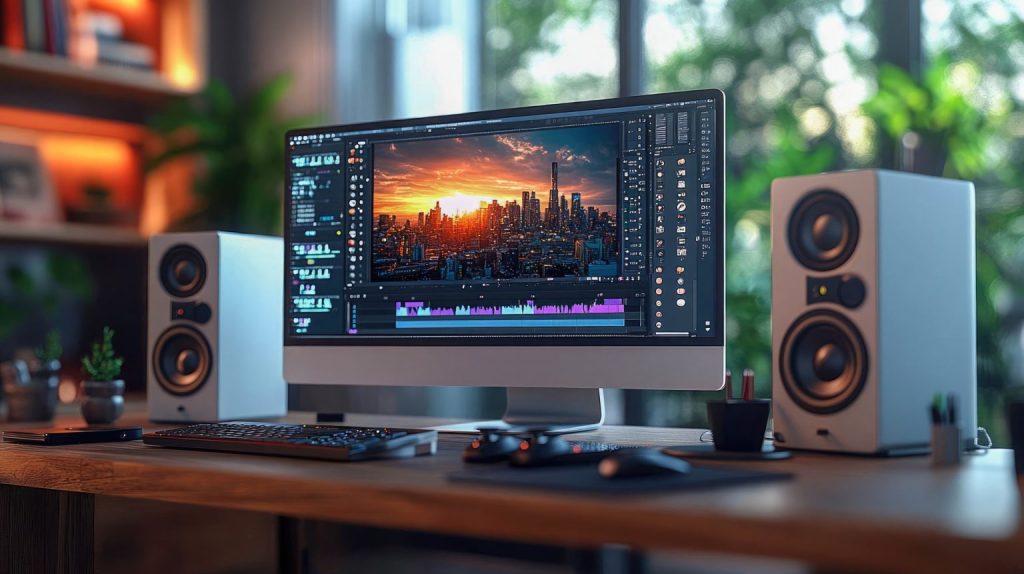
- Editors: Adobe Premiere Pro, Final Cut Pro, DaVinci Resolve.
- Audio: Audition, RX for noise and clarity.
- Graphics: After Effects, animated templates for speed and brand consistency.
- Review: Frame-accurate feedback tools to shorten approval time.
If you maintain your own tools, keep a shared brand kit: color codes, fonts, logo variants, lower-thirds, and end screens. It reduces rework and preserves consistency as your library grows.
FAQs
Professional editing shapes a persuasive story, not just a sequence. It includes sound design, color, graphics, captions, and platform-specific outputs that raise watch time and conversions.
For awareness on Reels/TikTok, try 7–20 seconds. For YouTube explainers and demos, 3–8 minutes works well. For landing pages, aim for 30–90 seconds focused on a single action.
Yes. With proper lighting and framing, phone footage can look excellent. Professional editing elevates it, especially with color correction and sound cleanup.
Often one long recording can yield a main video, 3–6 shorts, and a handful of image quotes or GIFs—enough to fuel weeks of content.
We maintain a caption style guide and export platform-ready files. We also handle proofreading and accessibility best practices.
Yes. We can prioritize critical launches or time-sensitive campaigns with pre-planned templates and a speedy review workflow.
We provide timestamped review links. Most projects include two to three feedback rounds. Clear briefs and examples keep revisions minimal.
Absolutely. We place videos on landing pages, emails, and ads—and we can connect leads and events to your CRM for follow-up.
If you’re recording content but not seeing results, the gap is post-production. Professional video editing services for businesses turn raw footage into high-performing assets that build credibility, hold attention, and drive measurable growth.
We’ll plan your edit calendar, craft platform-native outputs, and deliver a consistent, branded library you can use across your site, ads, and social channels. Want to automate the leads that your videos generate? Pair your content with our GoHighLevel CRM setup—available for less than $50/month—so every view, click, and form fill turns into a tracked conversation.
Ready to elevate your brand with professional editing—and scale with automation?
Get your custom quote for video editing today, and activate GoHighLevel CRM for under $50/month to close more deals with less effort.